Your browser history,
made useful.
Retrace shows every window you have open, keeps them as sessions — named, searchable and one click from reopening — and files them into Spaces by itself. Like your history, it lives in your browser and nowhere else.
Free · no account · optional Retrace Pro, $10 once
Then press Alt Shift R on any tab.


The history you have vs. the one you need
Your browser remembers every page — in one flat list, in the order you clicked. Retrace remembers what you were doing.
- (12) Sourdough for absolute beginners - YouTube
- sourdough starter ratio - Google Search
- Inbox (4) - maya@northwind.io - Gmail
- Pricing page v2 · Pull Request #482 · northwind/web
- THE 10 BEST Hotels in Lisbon 2026 - Tripadvisor
- boutique hotels alfama lisbon - Google Search
- Casa do Largo, Alfama – Updated 2026 Prices
- Pricing – Figma
- Inbox (5) - maya@northwind.io - Gmail

- Stays in your browser, like history
- Search in plain words
- Reopen a whole window
- Go back to any moment today
How it works
Three steps. No account, nothing to set up.
-
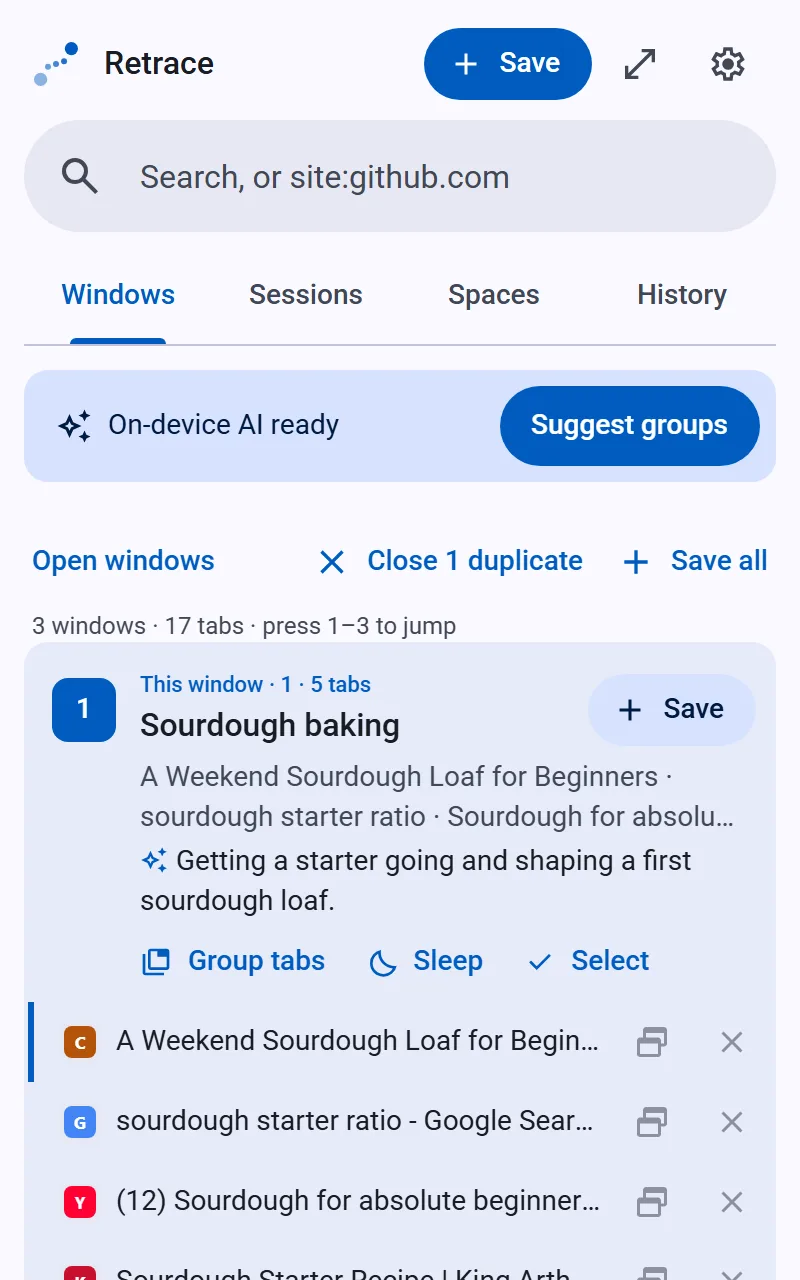
1Open it anywhere
Alt Shift R shows every window, named and summed up. Save one in a click — or let Retrace keep it.
-
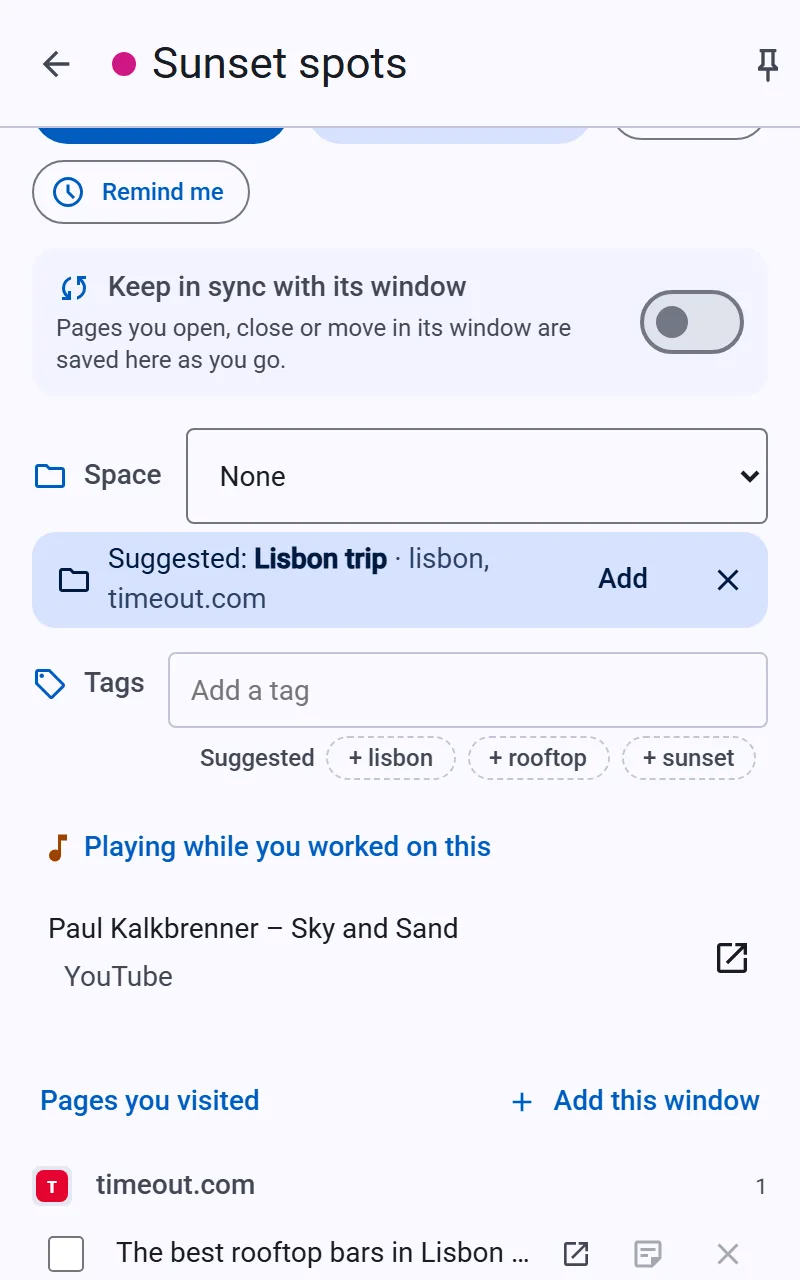
2Organize
Retrace files it into a Space — Work, Travel, Learning — or suggests one.
-
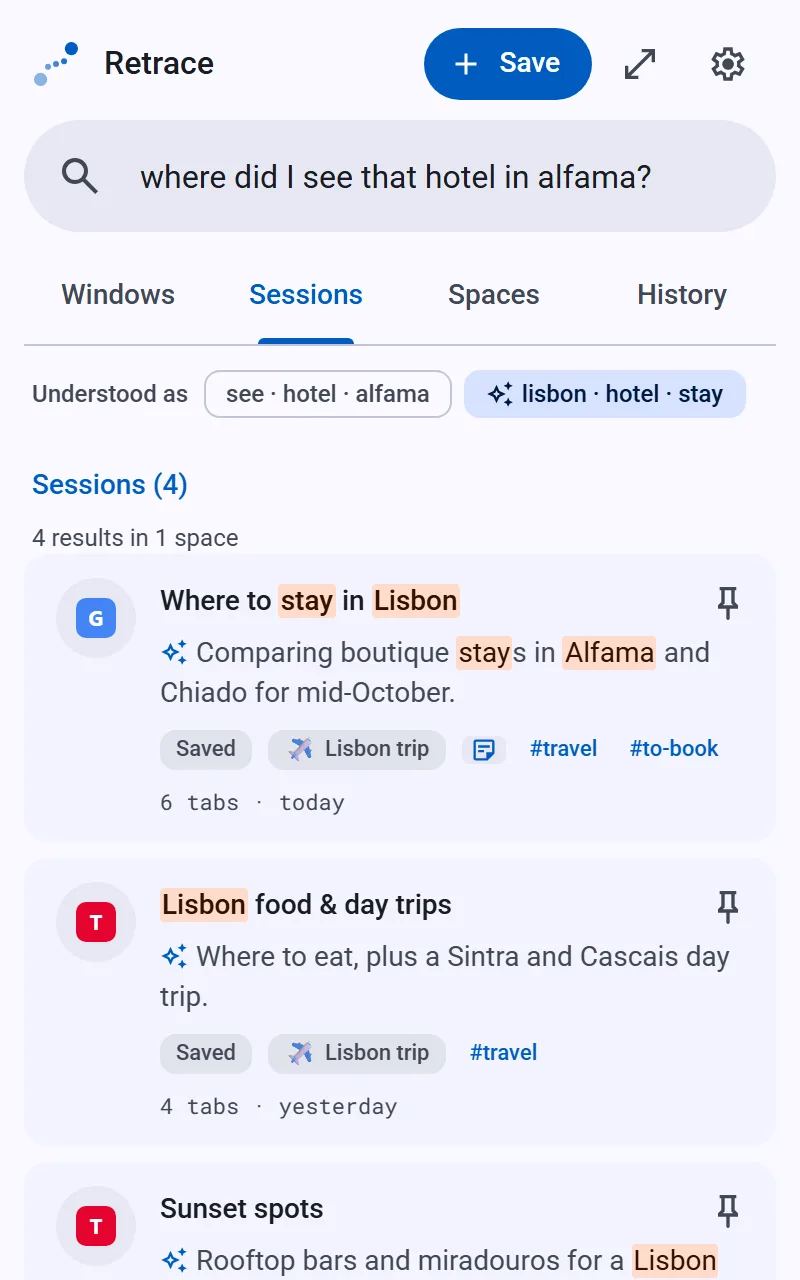
3Find it again
Ask in plain words. Reopen it all in one click.


Everything you need to retrace your steps

Every open window at a glance
Each window gets a name and a one-line summary, with its tab groups and what's playing. Press 1–9 to jump there, Alt Shift W for the next one. Group, tidy or sleep tabs in a click.

Close a window, lose nothing
Busy windows are kept by themselves and follow along as you work. Close one by accident? It's still there for two weeks — keep it for good in one click.

Sessions that describe themselves
A search shows as what you searched for, a video by its title, a repo by its name — never just “google.com”.

Spaces that fill themselves
Start with Work, Personal, Learning, Shopping and Travel — or make your own, with sub-spaces inside. Retrace learns what each is about and files new sessions for you.

Go back to any moment
Every few minutes Retrace notes what's open. After a crash — or for that tab you closed an hour ago — slide back through the day.

All your music in one list
One entry per song, whether you heard it on YouTube, Spotify or SoundCloud — playlists, and your history brought in from Spotify or YouTube. Pro adds the songs you play by themselves, and a monthly recap.
And the small things that add up
- One key opens it anywhere
- Spaces inside Spaces
- Tab groups kept
- Sessions that stay in sync
- Notes on any page
- Your own tags
- “Remind me later”
- Share without uploading
- Import from OneTab & more
- On-device AI, optional
- Sleep background tabs
- Light, dark & six colours
Private like a browser feature
Retrace keeps everything in your browser's own storage — like your history and bookmarks. It has no servers to send anything to.
 Your browserwindows · sessions · spaces · music · timeline
Free, with an optional Pro
Everything above is free on Chrome and Edge. Retrace Pro is a one-time unlock — no subscription, no account.
- Every window at a glance, kept automatically
- Sessions, Spaces that fill themselves, search & history
- Recovery timeline (a day)
- Music: library, playlists, Spotify & YouTube import
- Notes, tags, reminders, sharing & import
- On-device AI, when your device supports it
- Listening — songs you play go into Music by themselves, with a monthly recap
- Closed windows kept 90 days; new tabs join their group
- Backup & restore, encrypted if you like
- A connected backup file for your other devices
- Keyboard shortcuts + Ctrl-K palette
- Tidy up, auto-archive & templates
- A 30-day recovery timeline
Checkout by Paddle. Your key arrives by email: paste it into Settings › Backup & restore and Pro turns on — checked on your device. Details · Terms · Refunds